Additional NICE CXone actions
In addition to the handoff action, the NICE CXone integration exposes a utility action you can use within a conversation to check agent availability before deciding whether to escalate.
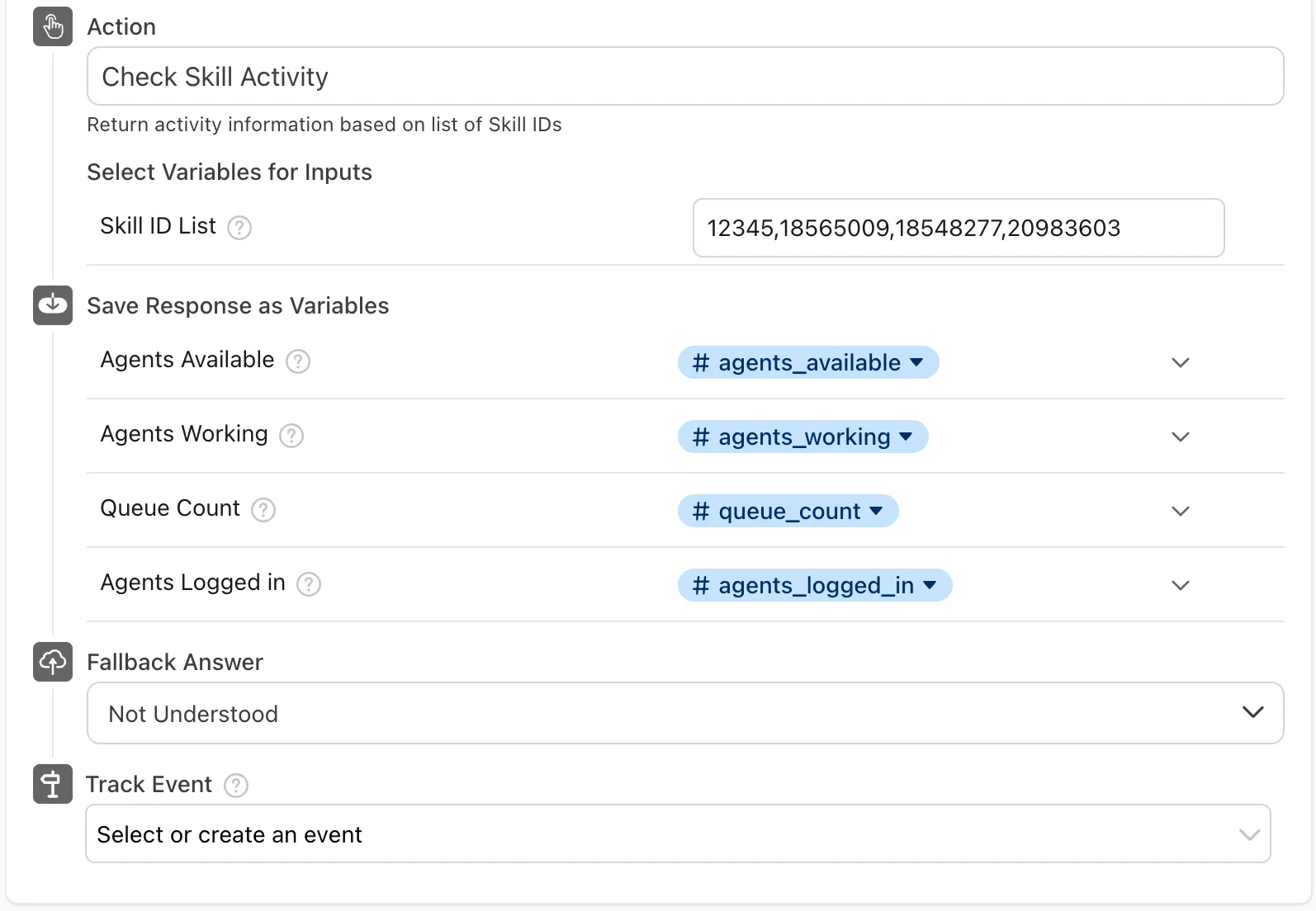
Check Skill Activity
The Check Skill Activity action returns live activity information for one or more CXone skills. Use it to branch a conversation between escalating to a human agent and offering a deflection or out-of-hours flow.
The action returns the following values, summed across all the skills specified:
To set up the Check Skill Activity action:
- Add the CXone Utilities block to your answer and set Action to Check Skill Activity.
- In Skill ID List, enter the CXone skill IDs you want to check, separated by commas.
- Under Save Response as Variables, map each output to a variable.
- Use those variables in a conditional branch to route the conversation to a Handoff or to an alternative flow.