Salesforce Messaging
Overview
Ada’s integration with Salesforce Messaging connects your AI Agent to Salesforce Service Cloud Messaging, enabling Handoffs from automated conversations to Salesforce agents.
Unlike Salesforce Chat (Live Agent), Salesforce Messaging (MIAW) is a persistent, asynchronous channel that supports richer web and in-app experiences.
How this differs from Salesforce Chat
- Salesforce Chat (Live Agent) is a real-time, session-based web chat.
- Salesforce Messaging (MIAW) supports continuous, asynchronous conversations across web and in-app channels.
- Ada’s Salesforce Messaging Handoff is a separate setup from Salesforce Chat (Ada Glass).
Prerequisites
Before you begin, ensure you have:
Ada requirements:
- An AI Agent with an active messaging channel.
Salesforce requirements:
- Salesforce Service Cloud
- Salesforce Messaging for In-App and Web
- Digital Engagement licenses (required for Partner Messaging). Salesforce Messaging is available in Enterprise, Unlimited, and Developer editions with the Digital Engagement add-on license.
Quick start
Complete these steps to configure Salesforce Messaging. See Implementation & usage for detailed instructions.
Enable Messaging and Omni-Channel
Configure Messaging for In-App and Web, Omni-Channel routing, queues, and flows in Salesforce.
Implementation & usage
Configure Salesforce Messaging and coordinate with your Ada team to complete the integration.
Configure Salesforce Messaging
The Ada side of the integration will be configured by the Ada team. Before meeting with your Ada team to install and test the Handoff, confirm you have Messaging enabled and Omni-channel routing configured.
From the Salesforce side, you need to have Messaging enabled. These steps may already be complete in your instance.
-
Give users access to Messaging for In-App and Web
-
Set up Omni Channel. Make sure to set Enhanced Omni-Channel Routing toggle to on.
-
Add Omni Channel Routing. Under Routing Settings > Routing Model, select the least active model.
-
Create Queue for your Route
- Make sure to add the Messaging Session Object to your Queue
-
Create an Omni-Channel Flow
-
Add a Messaging Channel. Set it to Messaging for In-App and Web Channel and under Omni-Channel Routing select Omni-Flow and select your Omni-Channel Flow.
-
Add Messaging to your Service Console
-
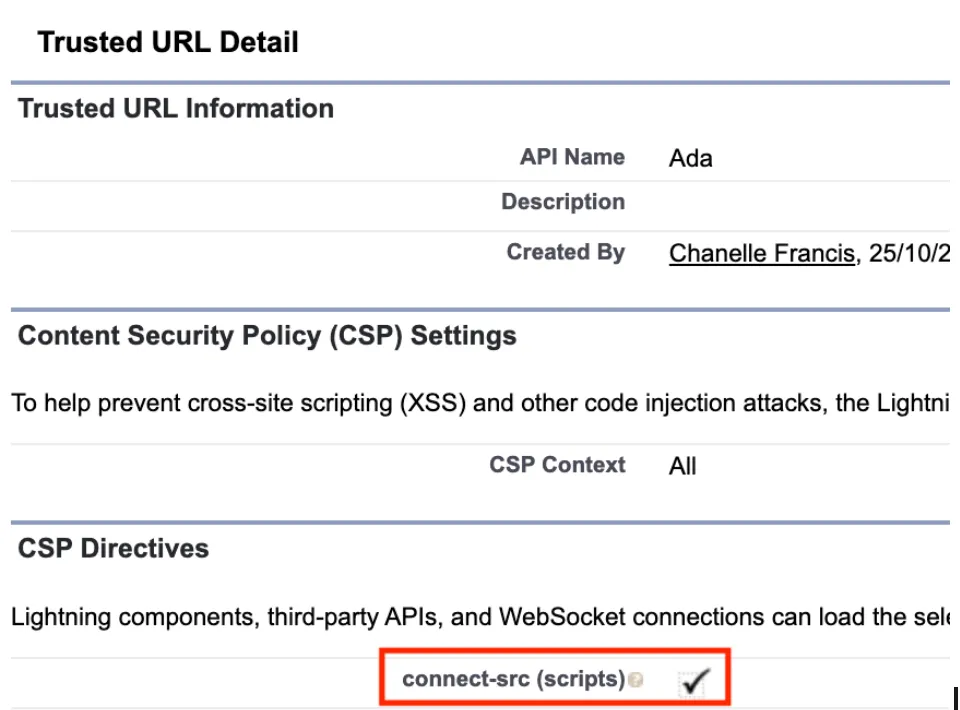
Add https://*.ada.support to your CORS Allow List and Trusted URLs. Within the Trusted URL configuration, ensure the connect-src (scripts) CSP directive is selected.
-
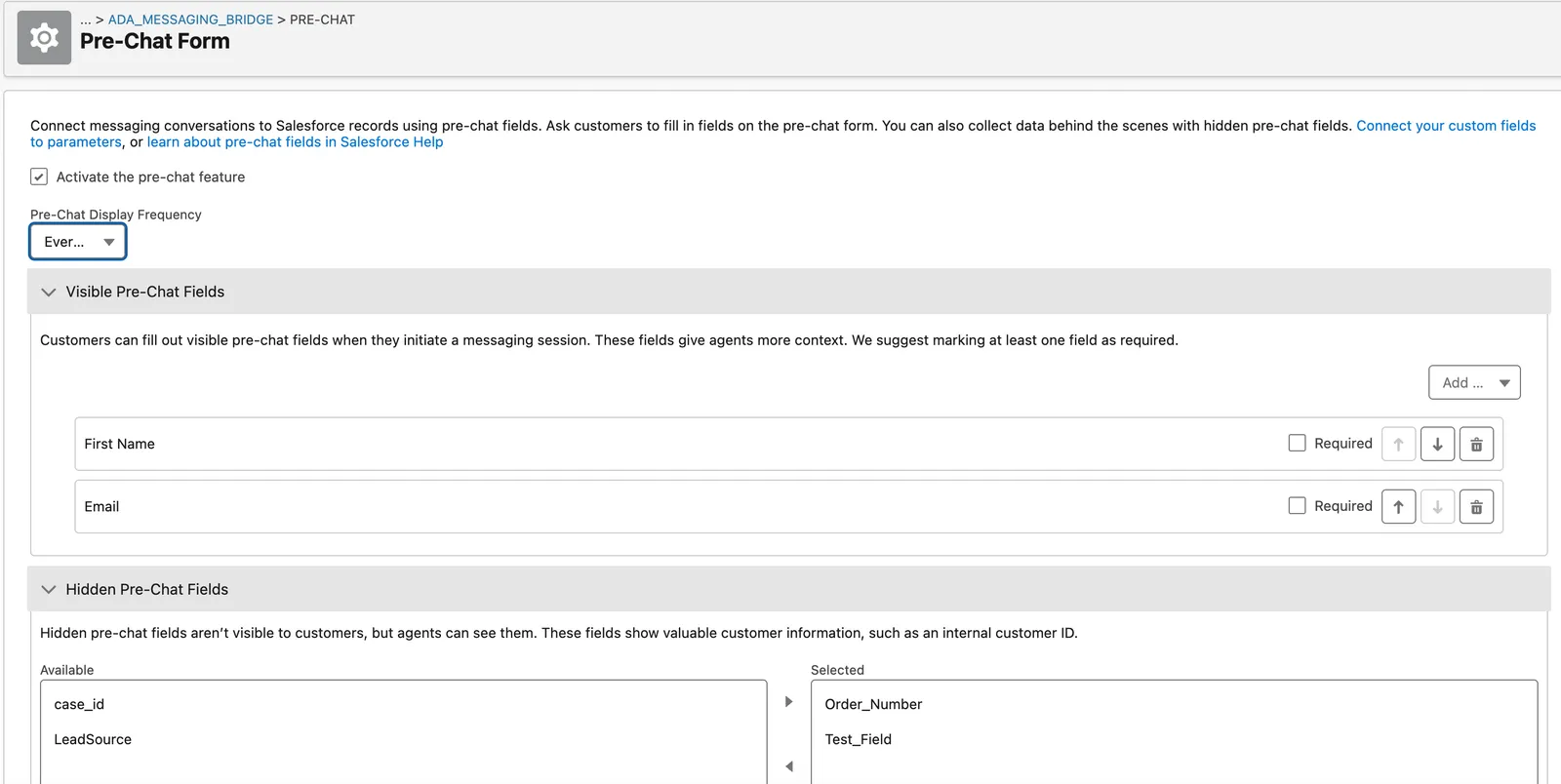
(Optional) Configure hidden Pre-Chat Fields to pass information from the AI Agent to your Messaging record. See Detailed Instructions here.
These steps are necessary for Ada’s Handoff integration:
-
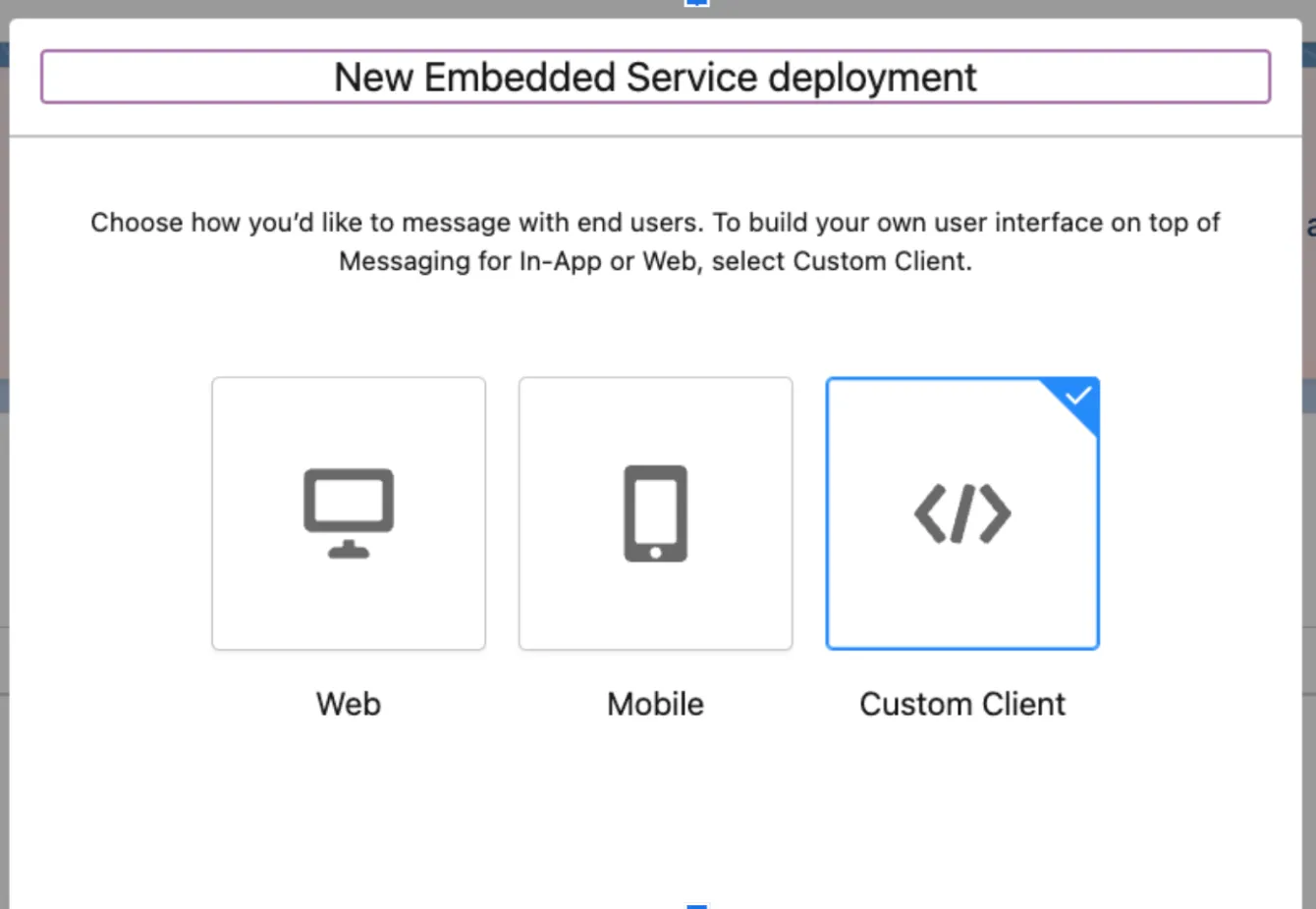
Configure a Custom Client Deployment.
-
If you are setting up pre-chat fields, make sure that you select the visible and hidden fields you would like to pass. Also make sure that Activate the pre-chat feature is selected and Pre-Chat Display Frequency is set to Every Session. Once you have set these up make sure to save them and then publish your embedded service deployment.
-
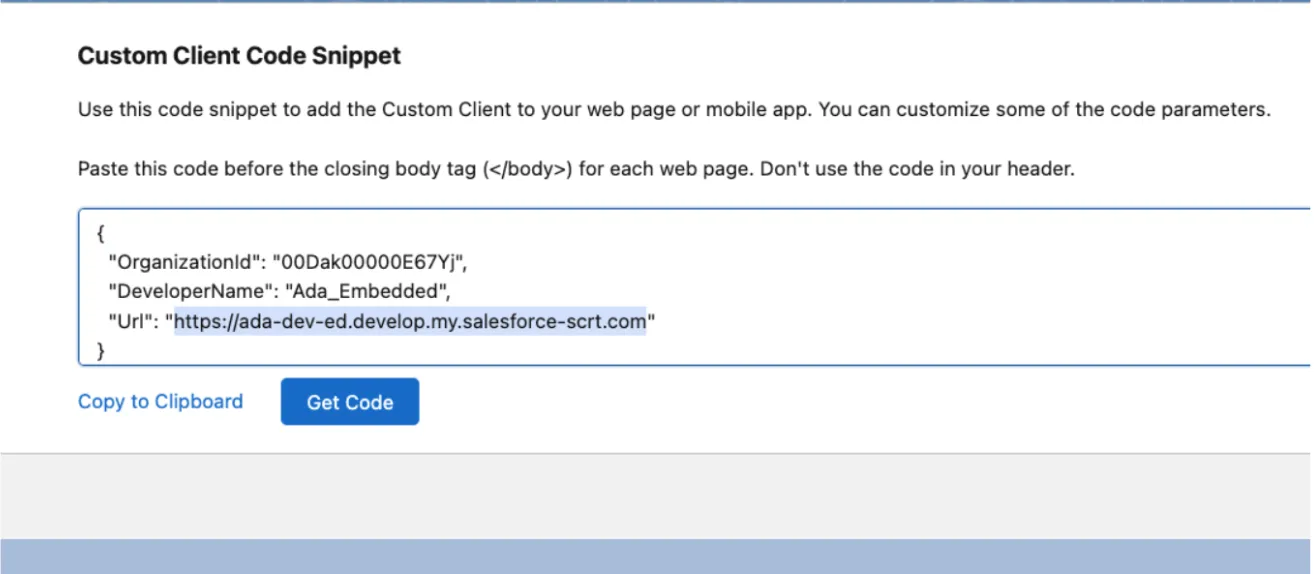
Make sure that you activate and publish the deployment. Make sure to send the Ada team the information found under Code Snippet.
-
Your Custom Client Code Snippet will be as follows:
Complete the setup
Finalize the integration by activating your deployment and sharing configuration details with your Ada team.
To complete the setup:
-
Activate and publish the deployment.
-
Send your Ada team the following information found under the Code Snippet section:
You will need to provide:
- Salesforce Organization ID
- Embedded Service Deployment Developer Name
- Salesforce Instance Login URL
Your Ada team will use this information to set up the backend integration. Once your Ada team confirms the integration is ready, proceed to configure Webhooks.
Configure Webhooks
After completing the Salesforce setup, there is additional configuration required on the Ada side. Configure a Webhook in Ada’s dashboard to enable conversation event notifications for the Salesforce Messaging integration.
To configure Webhooks:
-
Go to Platform > Webhooks.
-
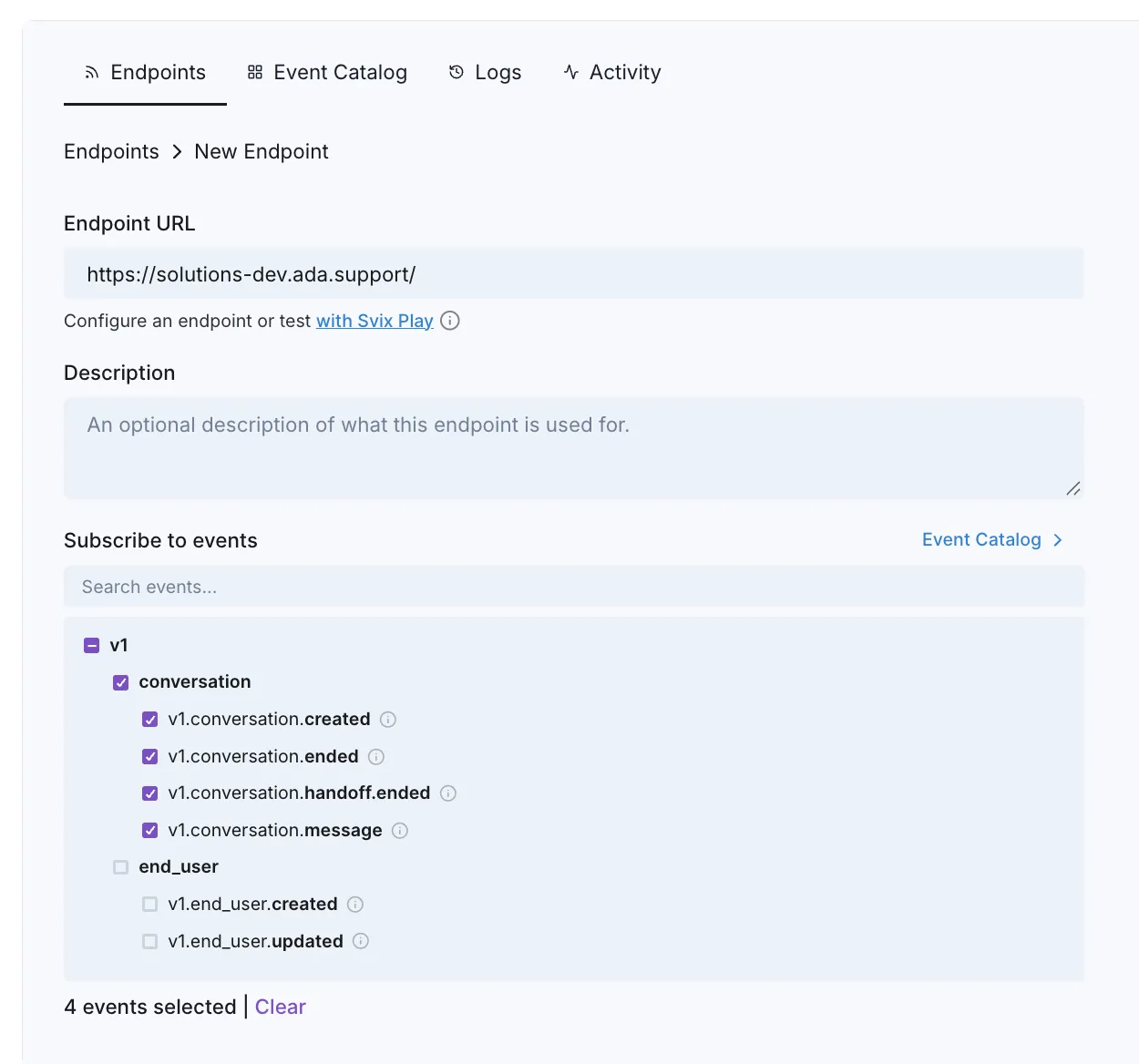
Add the Endpoint URL for your cluster:
-
Subscribe to all conversation events:
v1.conversation.createdv1.conversation.endedv1.conversation.handoff.endedv1.conversation.message