

Get started
Create a Playbook using one of three methods: Generate a Playbook, Import an existing procedure, or Start from scratch. Each method produces a Playbook with sections and steps that you can then review and refine.
Quick start
Generate a Playbook
Use AI to create a first draft by providing a short description of the task or procedure you want to automate. Select from a list of prompt suggestions or describe your own use case.
The generation process creates a complete Playbook — including sections, steps, and General Guidelines — along with any Variables and API tools the workflow requires. The AI reuses existing Variables, API tools, and Handoffs where possible and creates new ones when needed.
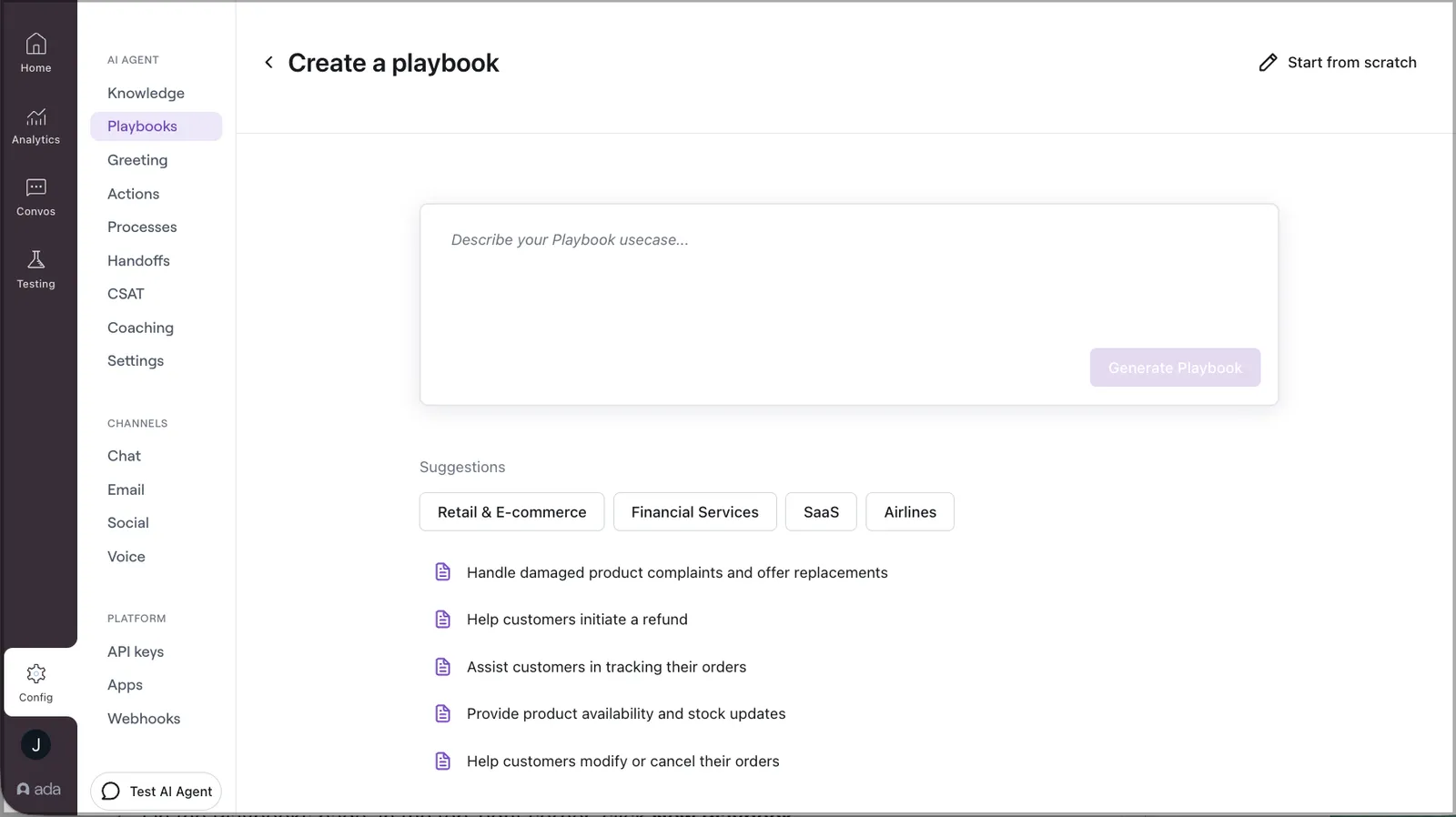
To generate a Playbook:
- On the Ada dashboard, go to Config > Playbooks.
- In the top-right corner, click New Playbook.
- On the page that opens, click Generate.
- Describe the procedure you want your AI Agent to handle, or select from a list of common use cases.
- The system generates the Playbook and automatically creates any required Variables and placeholder API tools. A loading screen displays while the full creation process completes.
- The editor opens with the generated Playbook. Steps that reference newly created Variables (
SET,ASK) and API tools (RUN) are highlighted so you can identify and review them. - Review the generated sections and steps. Add, remove, or reconfigure steps as needed.
Import an existing procedure
If you already have an SOP — such as a customer support workflow saved as a PDF — you can import it directly to jump-start your Playbook. The PDF content is converted into structured sections and steps, and any required Variables and placeholder API tools are created automatically, just like when generating from a prompt.
To import an existing procedure:
- On the Ada dashboard, go to Config > Playbooks.
- In the top-right corner, click Import PDF.
- Select and upload your PDF file.
- The system generates the Playbook and creates any required Variables and placeholder API tools.
- Review the generated Playbook and adjust sections and steps as needed.
SEND step messages where applicable.Start from scratch
Build a Playbook manually when you already know the workflow you want to create.
To start from scratch:
- On the Ada dashboard, go to Config > Playbooks.
- In the top-right corner, click New Playbook.
- Click Start from scratch.
- Configure the Playbook name, description, sections, steps, and General Guidelines.
For detailed configuration options, see Configure.
Use MCP
Create and manage Playbooks conversationally from your AI assistant (Claude, ChatGPT, or any MCP-compatible client) using the edit_agent_behavior tool.
Playbook changes made this way are staged on a change set rather than applied to the live Agent. Test the change against your test cases first, then promote it when the results look right.