

Salesforce Messaging queue position and wait time
Overview
End users waiting for a live agent after a Salesforce Messaging Handoff see a queue banner in the chat widget. It shows their queue position or estimated wait time. The banner reflects the values Salesforce Messaging reports while the end user is in the queue.
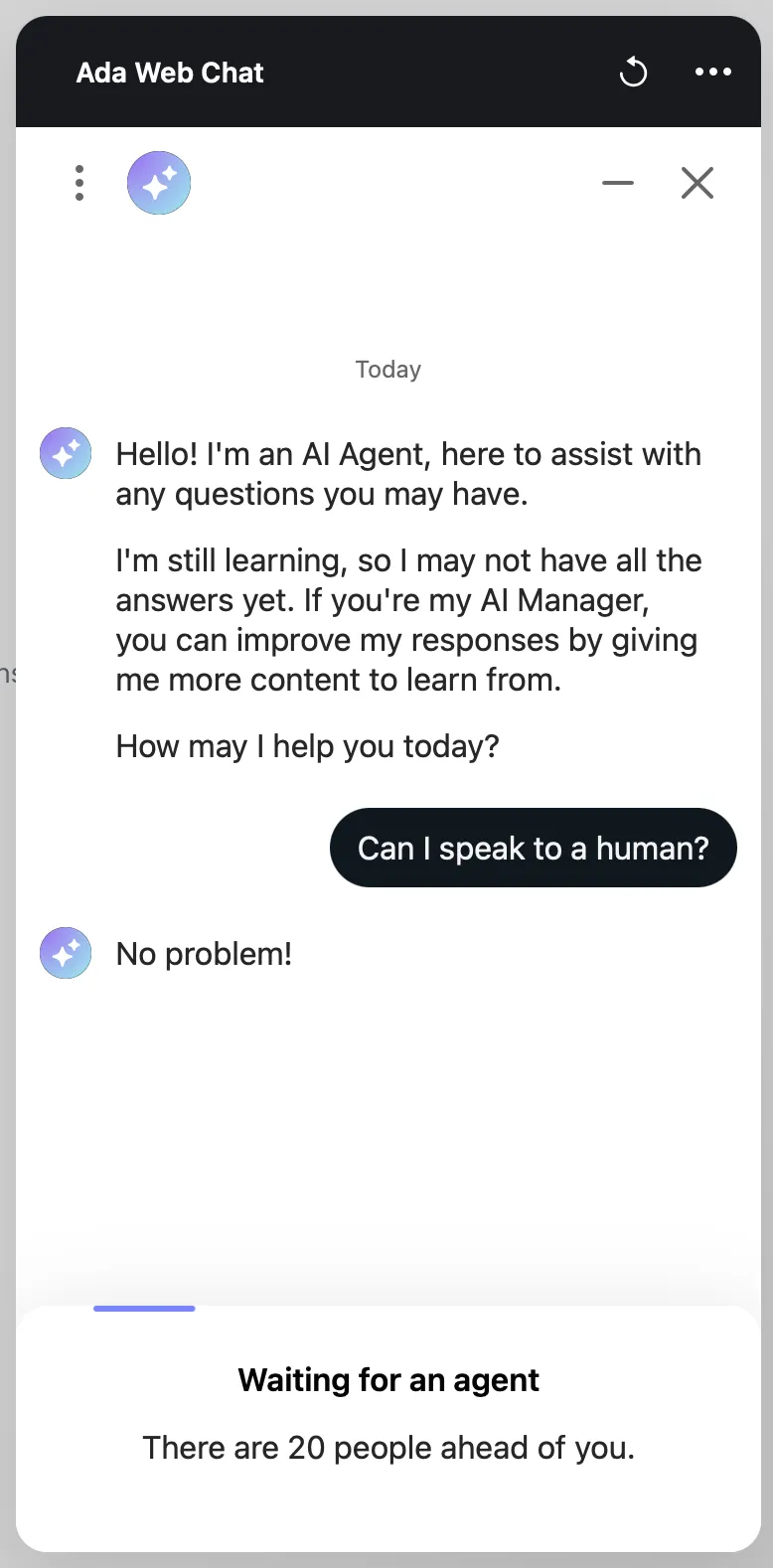
The queue banner is shown after the Handoff starts. To branch the Handoff on agent availability before it starts, see Salesforce Messaging agent availability.
Limitations
The queue banner depends on what Salesforce Messaging sends and where the end user is chatting.
- Salesforce supports either queue position or estimated wait time per Messaging Channel, not both.
- Queue position requires a configuration change in Salesforce by a Salesforce admin. Your Ada team can’t enable it on your behalf.
- The queue banner appears only in the Messaging and legacy Chat widgets. Salesforce Messaging Handoffs from other channels don’t show a queue banner.
Capabilities & configuration
Salesforce Messaging reports the end user’s place in the queue as one of two signals. The banner shows whichever signal Salesforce sends.
The queue banner:
- Persists across a page reload.
- Clears when the agent joins or the Handoff ends.
Implementation & usage
Estimated wait time requires no setup. To show queue position instead, a Salesforce admin enables it on each Messaging Channel used for the Handoff.
Set up queue position in Salesforce
Queue position is sent only when the setting is enabled on the Messaging Channel. Each Messaging Channel is configured separately.
To set up queue position:
-
In Salesforce Setup, open the Messaging Channel used for the Handoff.
-
Enable Queue Wait Time and Position.
-
Republish the deployment linked to the channel.
The change takes effect after the deployment is republished.
-
Repeat these steps for each Messaging Channel used for Handoffs.
Set up in Ada
No additional configuration is required in Ada. Once Salesforce sends queue position or estimated wait time, the end user sees the queue banner in the chat widget while waiting for an agent.
Related features
Use these pages to set up the rest of the Salesforce Messaging Handoff.