

For AI agents: a documentation index is available at the root level at /llms.txt and /llms-full.txt. Append /llms.txt to any URL for a page-level index, or .md for the markdown version of any page.
Login
HomeDocsAPI ReferenceMCP ServerChat SDKsRelease Notes
  • Welcome
    • Getting started
    • Key concepts
    • Dashboard navigation
    • Agent logic
    • Improvement tactics
  • Knowledge
    • Content ingestion
    • Article management
  • Automation
    • Actions
    • Processes
    • Playbooks
    • Proactives
    • Greetings
    • Custom Instructions
    • Variables
      • Using Variables
      • Best practices
  • Setup
    • Persona
    • Languages
    • Redactions
  • Handoffs
    • Handoff management
    • Salesforce
    • Zendesk
  • Channels
    • Chat
    • Voice
    • Email
    • Social
    • Third party
  • Optimization
    • Testing
    • Conversations
    • Coaching
Login
LogoLogo
Automation

Variables

Variables help your AI Agent collect, store, and reuse information throughout a conversation. They allow the Agent to remember what a user has said, access context about the environment or channel, and pass structured data between different parts of your automation.

This topic explains the different types of variables the AI Agent uses—such as Autocapture Variables that extract information automatically, Metavariables that provide built-in context from the user’s environment, along with Global and Sensitive variables that help manage state and protect user data. You’ll also learn how variables are created, populated, and how to use them.

Whether you’re capturing user inputs, storing API responses, or tailoring the Agent’s responses based on known details, variables provide the foundation for building dynamic, context-aware conversational experiences.
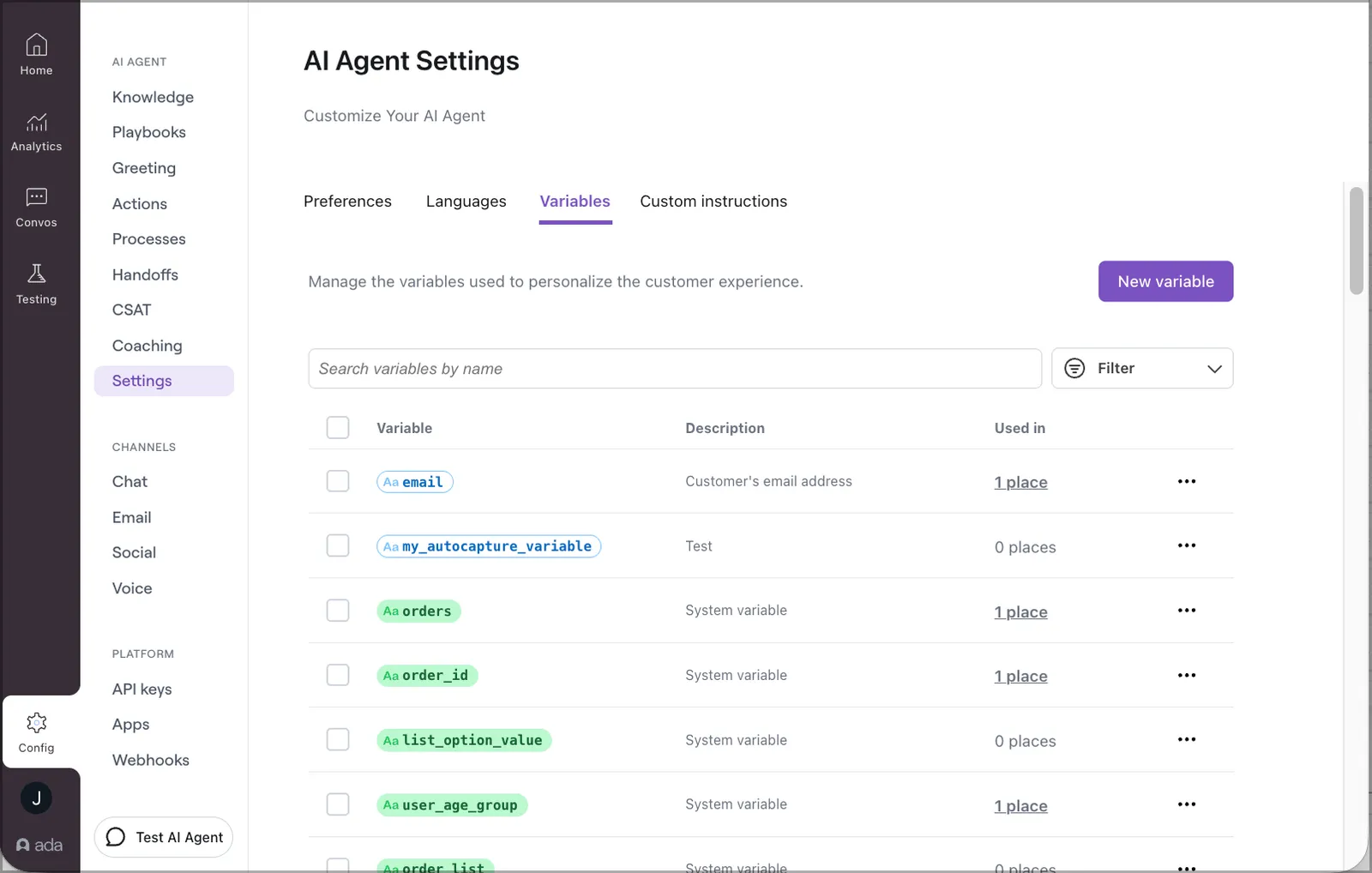
Variables

Have any questions? Contact your Ada team, or email us at help@ada.cx.

Previous

Using Variables

Next
Built with