

Coaching tools
Overview
Coaching lets you provide feedback on what your AI Agent says, thinks, and does—enabling it to learn from past behavior and improve. Coaching allows the AI Agent to create memories of example conversations and adjust performance in the future.
What can be coached
Coaching applies to the decisions your AI Agent’s reasoning makes during a conversation—not to every entry in the transcript. You can coach the Agent when it:
- Sends a message it generated
- Searches your Knowledge Base
- Runs an Action
- Triggers a Handoff
- Follows a Process
- Starts a Playbook
You cannot coach parts of the transcript that the Agent’s reasoning did not produce, including:
- End-user messages
- Messages or events from a human agent (for example, after a Handoff)
- System events, such as conversation start and end markers
- Automatic filler acknowledgements (for example, “Let me look into that for you”)
- Standardized replies sent while a Playbook is running—coach the Playbook step instead
- Knowledge searches that returned no result
A transcript entry is coachable when it reflects a reasoned decision the Agent made. If the Agent’s reasoning did not produce the entry, there is nothing for Coaching to adjust.
Limitations
Coaching has the following constraints:
- Coaching can only be applied to conversations that occurred after September 18, 2024.
- The Coaching page currently shows conversations where Coaching was applied, but impact metrics (such as AR) are not yet available.
Use cases
Coaching works best when defining specific changes in your AI Agent’s past behavior based on the unique context of only some conversations. For example:
- “Next time someone asks about our shipping policy, you should first confirm if they are located in the US or Canada.”
- Adjusting how the AI Agent responds to a specific type of inquiry.
- Redirecting the AI Agent to use a particular Knowledge Base article for certain questions.
Custom Instructions work best when providing general instructions that apply to every conversation. For example:
- “Always end a conversation by asking the user if they have any more questions.”
If you have contextual-type Custom Instructions that only apply in specific situations, consider replacing them with Coaching to improve performance.
Capabilities & configuration
Coaching supports the following behaviors that you can instruct your AI Agent to use:
Quick start
Provide Coaching on a conversation in a few steps.
To create Coaching:
Your AI Agent will now consider this feedback in similar future conversations. For detailed instructions, see Create Coaching.
Implementation & usage
Create and refine Coaching to continuously improve your AI Agent’s responses and decision-making.
Create Coaching
Providing effective Coaching feedback helps your AI Agent improve its responses in future conversations.
To create Coaching:
-
Identify AI Agent behavior that you’d like to see improved.
When viewing conversation transcripts in the Convos view, you can provide feedback on certain responses and decisions made by the AI Agent. Review customer conversations to determine where you’d like to see your AI Agent’s behavior improve in the future.
From the conversation view, click on the Provide coaching icon when hovering over a message or reasoning behavior in the transcript to provide coaching feedback.
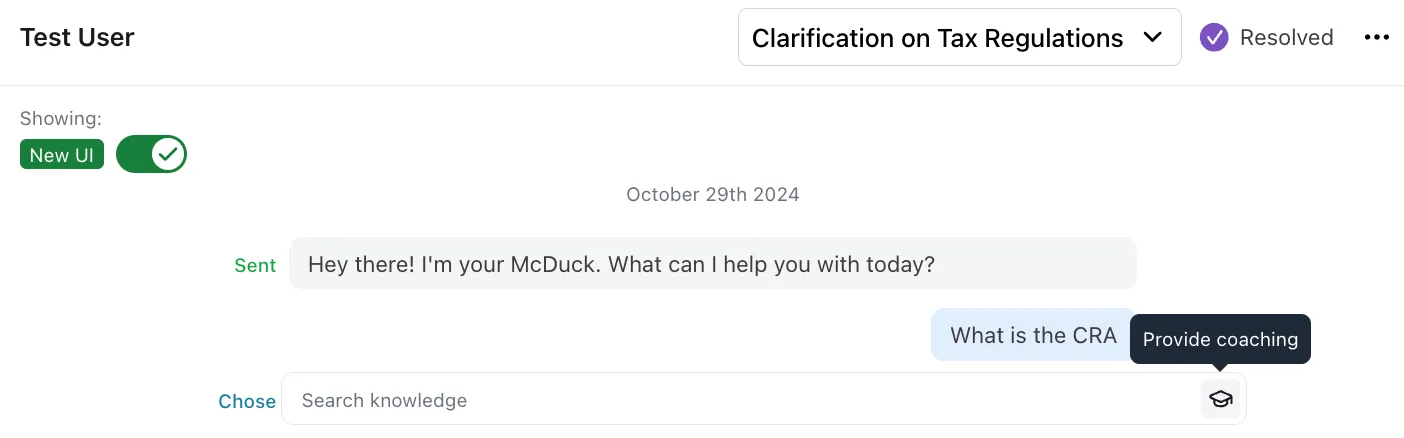
Coaching can also be created from a simulated conversation in Simulations. The flow is identical to creating coaching from the Conversations view, and coaching applied to a simulated conversation will also be available for the AI Agent to use in production conversations.
-
Specify the situations when this feedback should be considered.
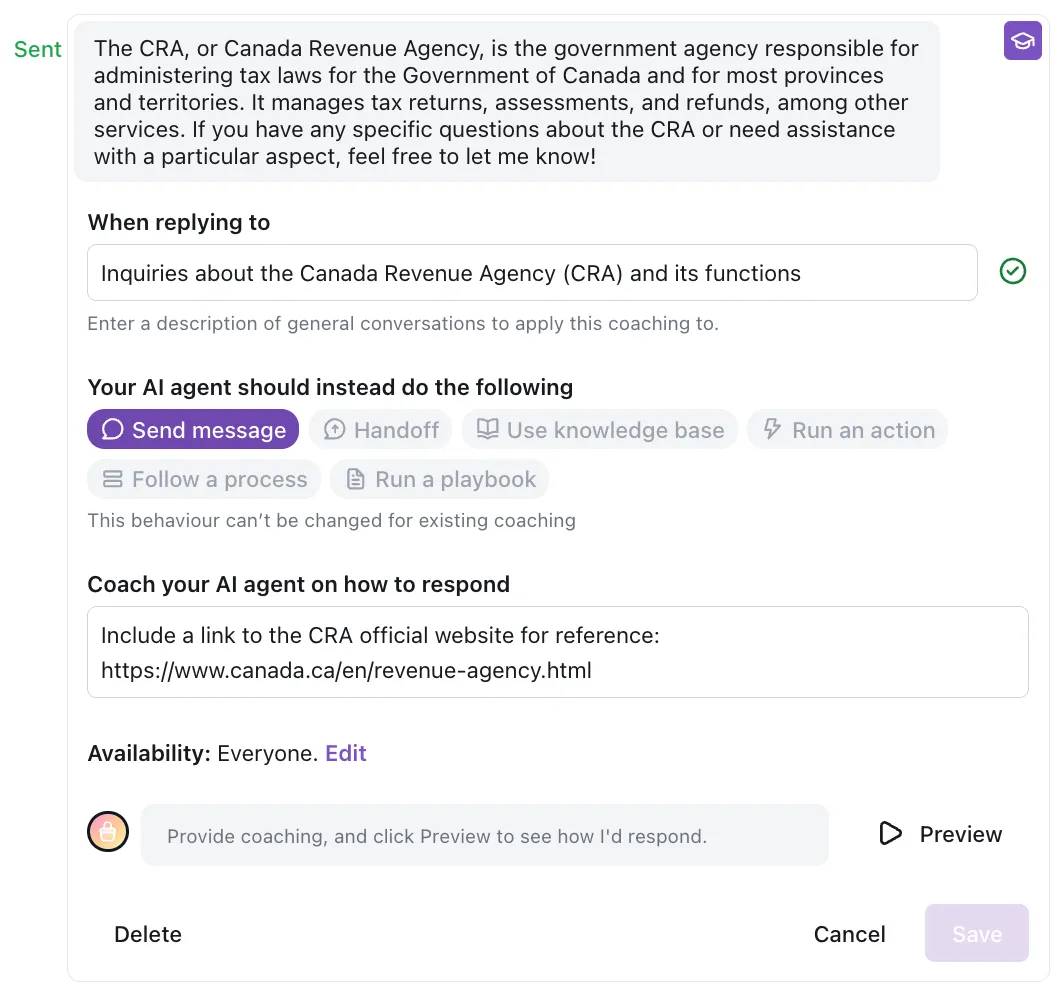
After you click Provide Coaching, specify the types of future conversation intents that your feedback should apply to. This helps your AI Agent understand when to recall your coaching feedback in the future. Your AI Agent will automatically suggest the situations where your AI Agent may apply your feedback (based on its analysis of the messages within the conversation) and populate this intent in the When replying to field. However, you may want to refine the scenarios when this feedback should be considered.
-
Provide feedback on your AI Agent’s response.
Select the appropriate behavior that your AI Agent should use at this point in the conversation. See Capabilities for available options.
-
Save and test your feedback.
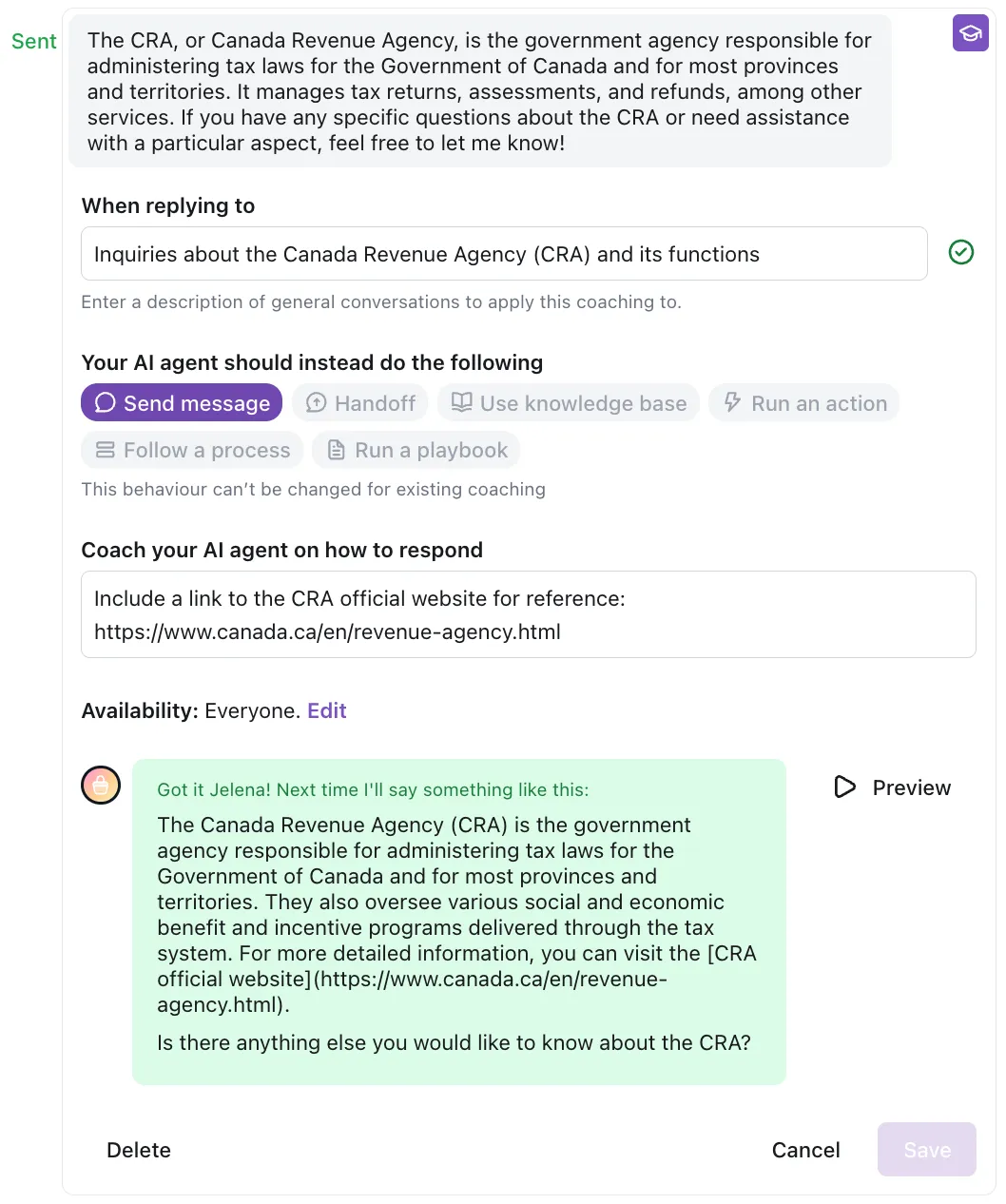
After you’ve added your feedback, click Save to add it to your AI Agent’s memory. Then click Test AI Agent to open a test conversation and try out your coaching. If the result isn’t what you expected, edit the saved Coaching and test again.
-
Monitor and observe the impact your Coaching has on new conversations.
From the Coaching page, you can modify Coaching in your system and review conversations where your AI Agent considered your feedback. You can use this page to edit, delete, view the source conversation where the coaching was first applied, and view a filtered search of additional new conversations that have taken this coaching into account.
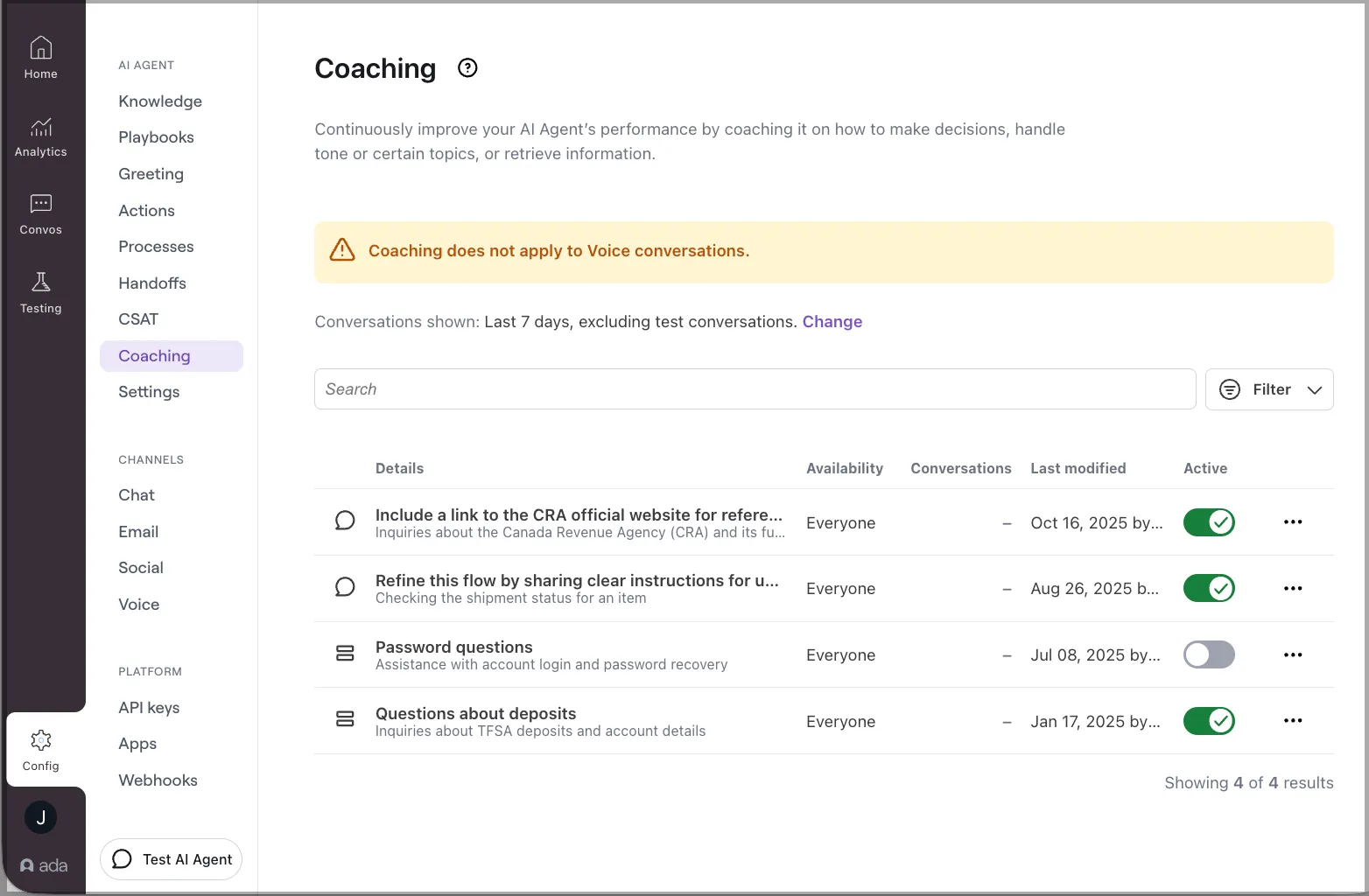
In addition, you can filter and view conversations from the conversation log for Coaching applied to see conversations where your past coaching has been used. Within a conversation where coaching has been used, you can see where it was applied from within the conversation log.
Refine Coaching
Over time, as your Coaching is used in new conversations, you can refine its behavior by letting the AI Agent know whether the coaching was correctly applied.
To refine Coaching:
Your feedback helps your AI Agent fine-tune its understanding of when to use that coaching moving forward.
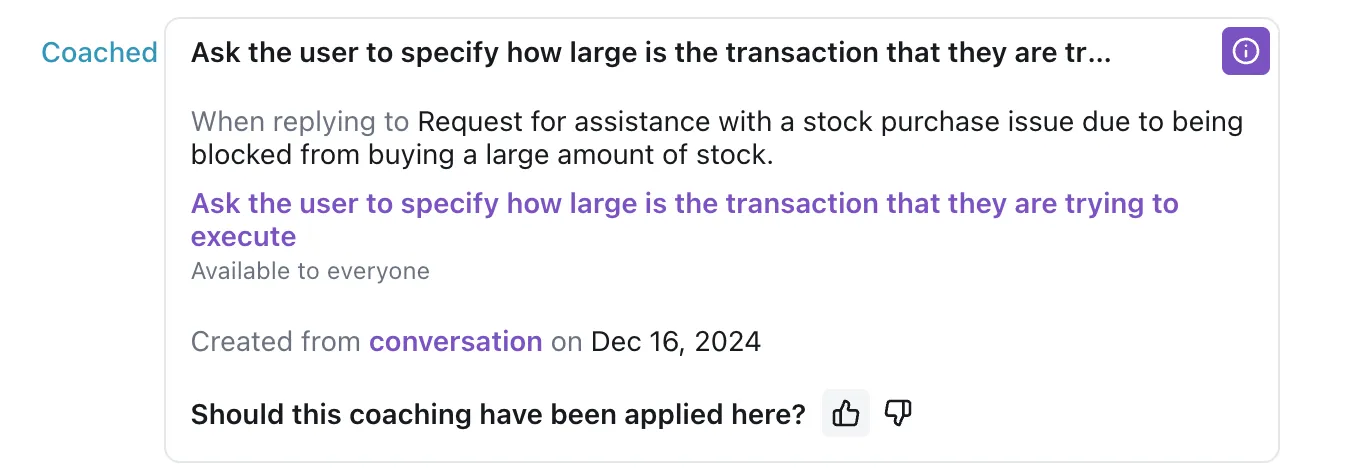
As you continue refining, your AI Agent will learn and improve its ability to apply your feedback successfully in future conversations.
For recommendations on effective Coaching, including source conversation selection, intent specificity, and migrating from Custom Instructions, see Coaching best practices.
Related features
Explore additional Coaching and optimization options.
- Custom Instructions: Provide general instructions that apply to all conversations.
- Conversations: View conversations where Coaching is applied.
- Knowledge: Reference specific articles in Coaching instructions.
- Playbooks: Direct your AI Agent to run specific Playbooks.