Create visualizations

Ask the AI assistant to create charts and diagrams to visualize your data. This is especially useful for presentations, reports, or sharing insights with stakeholders.

PromptWhat you’ll get
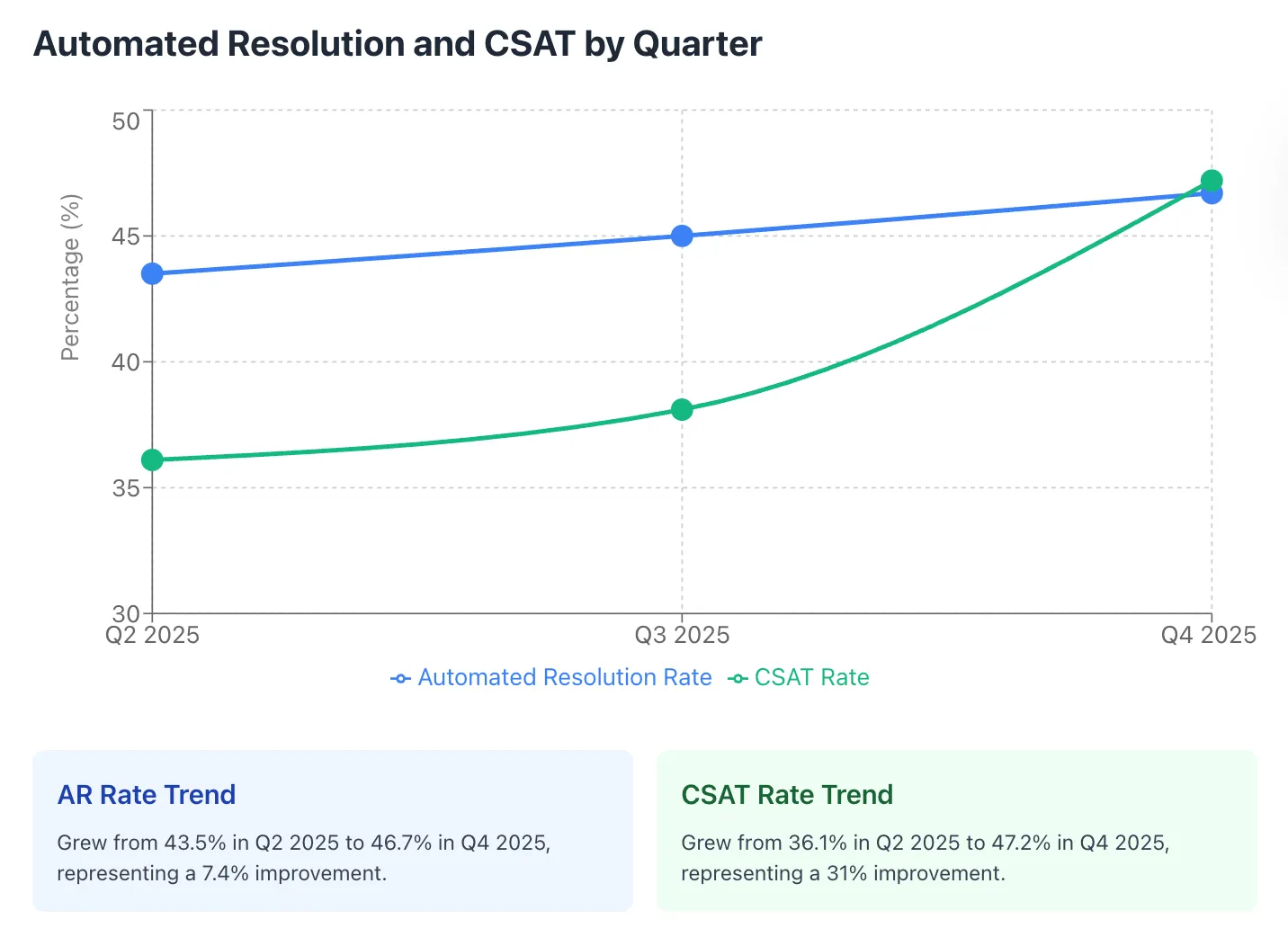
”Create a line graph showing how AR and CSAT have trended over the last few quarters.”Visual trend analysis of key metrics over time.
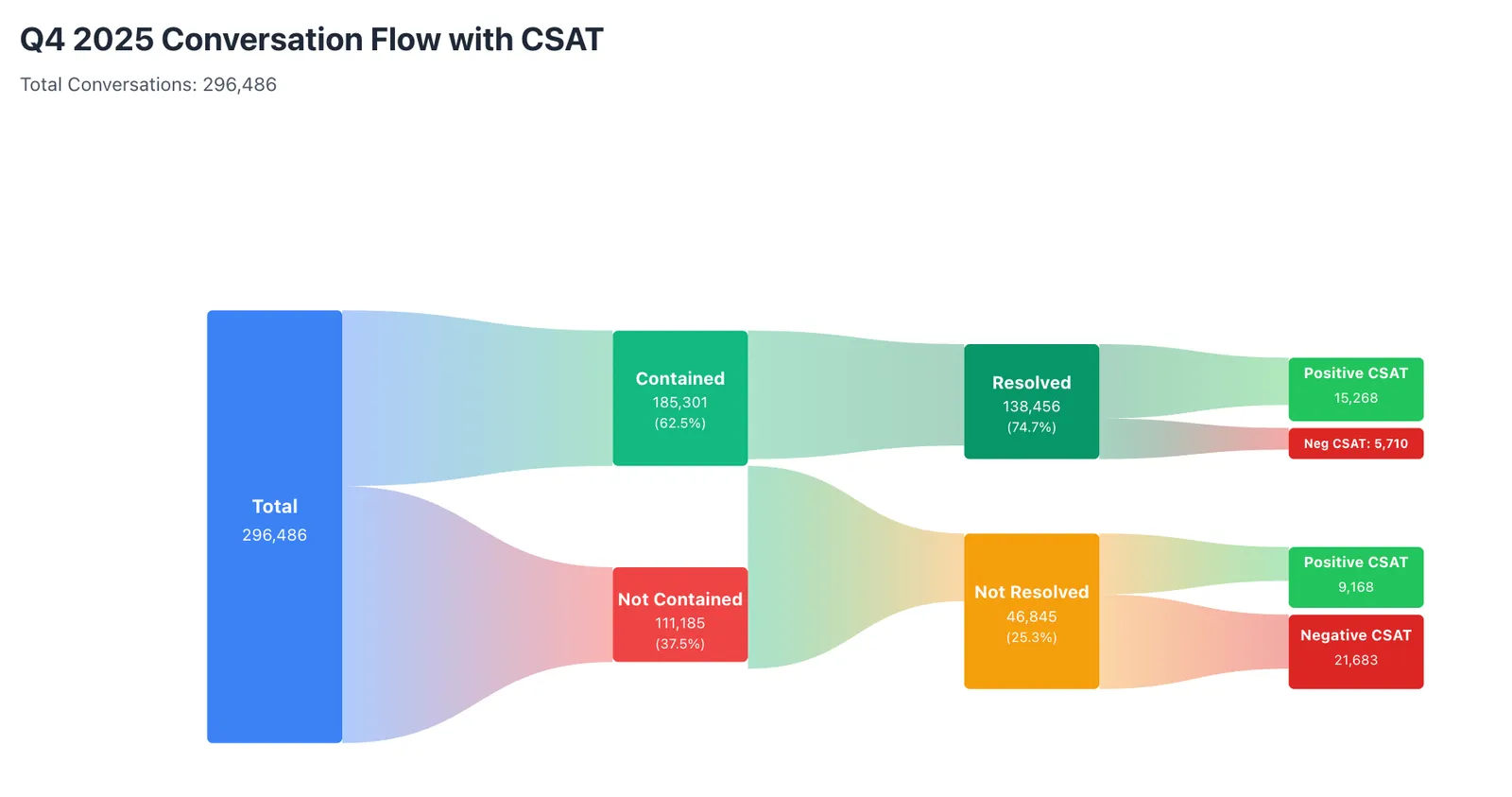
”Create a Sankey diagram for last quarter showing the split between contained vs. not contained, then resolved vs. not resolved, and finally positive vs. negative CSAT.”Flow visualization showing how conversations move through different outcomes.
”Chart my conversation volume by week for the last month.”Volume trends to identify patterns or anomalies.

Example: AR and CSAT trend chart

Line graph showing Automated Resolution and CSAT trending upward over Q2-Q4 2025

Example: Conversation flow diagram

Sankey diagram showing Q4 2025 conversation flow from total conversations through contained/not contained, resolved/not resolved, to positive/negative CSAT

After the chart is generated, refine it with follow-up prompts like “adjust the y-axis to start at 30%” or “annotate the week we launched the new playbook”.